Let's have a look at the Late-2012 Mac mini. Lower-case m. Apple spells it that way. They made the world. Their thoughts made the world. They made the thoughts. The world, the thoughts.
A couple of years ago
I bought a 2009 Mac mini
as a dedicated music computer. It's way old, but until fairly recently it still ran the latest version of Chrome, and despite its modest specification it had no trouble with Logic. But it's very slow, so I decided to try out a newer model.
Preferably one with FireWire, which last appeared in the 2012 mini.
I miss FireWire. As a PC person I never had to deal with FireWire when it
was a thing. FireWire was a mysterious other, beloved of Apple people. Apple
people and their iPods.
The mini is an interesting proposition on the used market. The original G4 mini, way back in 2004, was sold as a budget Macintosh for PC users who
might want to try out the Apple ecosystem. It was keenly-priced even by PC
standards, but that didn't last. The mini became more and more expensive to a
point where it was poor value for money outside a handful of niches.
What were those niches? At various points in its life the mini has been a gateway to the Macintosh ecosystem, a more versatile Apple TV set-up box, a media server, a style icon, a viable alternative to the Mac
Pro as a server and audio-visual editing machine, furniture. There has long been a feeling in Apple circles that the Mac Pro is de trop for most things, that the iMac is lumbered with a built-in screen, and that an expanded mini is just right. Especially given that it sips electricity, and despite not being a laptop it's still portable enough to carry in a backpack to work or university etc.
The mini has never had the power and expandability of the Mac Pro, but it has always been a lot cheaper. As of this writing the M1-powered Mac mini has about two-thirds the power of the cheapest Mac Pro, but it's one-eighth the price, so you can buy a rack of the things and still save money.
And at other points in its life the mini has been an overpriced
dog. 2012 was one of the good years, although my dual-core i5-powered model
isn't a patch on its quad-core i7 contemporaries. But read on, dear reader. Lift your skinny
fists like antennas to heaven, and read on.
This was Apple's design language during the first half of the 2000s.
This is a 2009 Mac mini sitting on a G4 PowerBook.
A Brief History of the Mac mini
And I do mean brief. The mini lowercase-m mini was launched in 2005, during the
twilight of Apple's PowerPC era. The original model had a G4 processor, with a 1gb memory ceiling and two USB
ports. At around £400 it was good value as an ultra-small-form-factor PC albeit
that it was very limited. The
GPU was no use for games and 1gb of memory was stingy. Two USB ports was no fun. The nearest PC equivalent was this horrible thing from AOpen that was slightly more powerful but a lot more expensive. Would you have been better off with a G4 iBook? Probably, but it was three times the price.
Apple switched the mini to Intel Core Solo and Core Duo processors in 2006,
and upgraded the range to 64-bit Core II Duo processors in 2007. All of the
aforementioned are cheaply available on the used market but they're only
really useful as novelties, or perhaps as more elaborate alternatives to a
Raspberry Pi.
The PowerPC models no longer have an internet browser, because
development of the excellent TenFourFox has been discontinued. The early Intel models are also obsolete, partially because the 32-bit minis
can only run up to OS X 10.9 Snow Leopard, which was discontinued in 2011, and partially because even if they could be patched to run modern versions of OS
X their unimpressive built-in GPUs and lack of multi-monitor support are out
of step with the modern age.
The 2009 models were the last with the original case design, pictured above.
They introduced multi-monitor support and will run OS X 10.11 El Capitan,
which was discontinued in 2018. El Capitan was supported by
Google Chrome until August 2022, so you surf the internet at your own risk.
For 2010 Apple introduced a new unibody design that complemented the
contemporary MacBook. The 2010 Core 2 Duo models had an optical
drive, so they had a slot in the front. In 2011 the range switched to i5
and i7 processors and the optical drive was removed. In 2012 the
processors were given a significant boost, with the top-of-the-range models moving from dual-core i7s to quad-core processors. The quad-core i7 2012 minis were, for a while, pocket rockets,
especially if they were maxed out with dual hard drives and 16gb of memory.
The 2012 i7s still fetch a decent price on the used market. The 2014 models that replaced them
had soldered, non-upgradeable memory, and for whatever reason Apple dropped the quad-core
processors, which meant that the 2014 models were in some cases less powerful than their predecessors.
The 2014 models remained on sale unchanged for four years, a very long time in Apple
terms. The mini had originally been intended to drive people into Apple's arms, but the staggeringly successful iPhone and iPad did that job far more effectively. There were rumours that the 2014 mini would be the end of the line. There were even rumours that Apple would give up on desktop computers entirely, especially given the company's seeming lack of interest in the 2013 Mac Pro.
But some of the mojo returned with the 2018 models, which were a solid upgrade. The most powerful 2018 mini had a six-core CPU with support for up
to 64gb of user-upgradeable memory, which wasn't bad at all.
That was the last generation of Intel-powered Mac mini. A a single, mid-range Intel-powered mini remained on sale through 2022, perhaps for server farms, or educational markets who absolutely had to replace their machines like-for-like. But as of this writing the core product is the Apple Silicon-powered mini, which uses a ARM-based CPU of Apple's own design. Physically the Silicon mini uses the same case as the later Intel models, but the CPU is simultaneously more frugal and more powerful. On the downside nothing is user-replaceable, but on the upside the performance of the Silicon models is excellent, and they're back to being good value again.
And that is the story of the Mac mini. For a brief period in 2005, 2006 it had the stage to itself, but then it was overshadowed by the iPhone, the iPad, the MacBook, the MacBook Air, the Apple TV, and the Mac Pro, but it was too cute to die. Have you ever seen a mini in real life? They're more attractive than they look in pictures. Bigger, too.
I briefly considered buying an M1,
but I would have to buy a bunch of adapter cables as well, perhaps
a new audio interface, and why not buy an M1 MacBook Air instead? I could
carry it around. But the Air only has two ports, so I would still have to buy a
bunch of cables, and I don't want to spend literally all of my money. And the MacBook Air only supports one external monitor. But it has a nice built-in monitor. But I want a monitor at head-height. Such is the horror and pain of living in the First World.
Let's have a look at my second-hand 2012 Mac mini. It's a 2.5gb late-2012 dual-core
i5 model, with 16gb of memory. Technically very similar to a 13" MacBook Pro
of the same year. Let's check out the ports:
The unibody models have a bigger footprint than the pre-unibody models, but
on the other hand they have an internal power supply. The pre-unibody
models have a big external brick, so the overall system footprint of the modern mini is smaller, or at least less awkward:
The 2012 unibody model has Ethernet, FireWire 800 so that you can transfer needle drops of Talib Kweli's Quality and Norah Jones'
Come Away With Me to your iPod, a HDMI port that also transmits
audio, a Thunderbolt-in-the-shape-of-Mini-DVI port, four USB 3.0 ports, an
SD card reader, and audio in and out. My 2009 Mac mini's built-in audio was
hissy, to a point where I wondered if it was broken, but the 2012 model has
no such problem. Compared to the 2009 Mini the 2012 model drops a USB port in favour of an SD card slot. I would prefer an extra USB port.
The 2012 models predate Apple's retina displays and the 4K craze, so the video output can only go up to 2K, and only on the Thunderbolt port. The oldest version of
OS X they will run is 10.8 Mountain Lion. Mine came with 10.13 High
Sierra, but I downgraded to 10.11
using Apple's very own instructions. Surprisingly it worked without a hitch.
I am only a fellow traveller of Apple, not a disciple, not a priest, not a devotee. My
understanding is that the good versions of OS X were 10.4 Tiger, because
they finally got it right; 10.6 Snow Leopard, because they finally got it
right with Intel; 10.11 El Capitan, because they continued to get it right;
and 10.14 Mojave, but only compared to 10.15 Catalina, which controversially
dropped support for 32-bit applications entirely. This included pretty much every
game from before 2018 or so, not that Mac people play games, but the option
would be nice.
I picked 10.11 because Logic Express 9 isn't compatible with
10.12. At some point I'll bite the bullet and buy Logic Pro X, but my wallet
is still recovering from Christmas. Modern versions of OS X / MacOS
apparently still include FireWire drivers, even though the last FireWire
Macintoshes are a decade old at this point.
Upgrade-wise the 2012 model is easier to open than the 2009 model. The 2009
model requires a sharp knife and a cold heart:
The unibody models, on the other hand, have a baseplate that twists off:
Upgrading the memory to the maximum 16gb is a doddle. As with the 2009 model there's space inside
for two hard drives, although getting at the second drive is
a lot harder, and involves unplugging the motherboard and sliding it out from the back of
the case. Mine still has the 5400rpm, 500gb Seagate Momentus that came with
the machine, so at some point I'll probably stick in an
SSD.
What's it like to use a Mac mini? As with the 2009 model the first thing that
strikes me is the lack of noise. My tower PC isn't particularly loud, but the fan
noise is obvious; the 2012 mini is essentially silent, with the fans only
getting into gear when the temperature reaches 70c or so. As I type these
words the machine is idling at 41c. Power consumption is in the 10-20w range,
albeit that I haven't pushed the machine. My PC uses 50w at idle, up to 150w or so when taxed.
The low power consumption is one of the things that makes minis appealing on the used market. My old Power Macintosh G5 is great during winter months, because it
warms the room, but the power consumption is such that I can't leave it
running in the background as a file server or music player because I would go bankrupt. The mini on the other hand
isn't burdensome.
The 2009 model coped poorly with 1080p video. The Intel HD 4000 graphics chip
in the 2012 model is still rubbish for games, but it has no problem
with YouTube at 1080p. Do you remember how PC World used to fill space by reviewing the latest trivial iteration of OS/2 Warp, or whatever, and they would illustrate it with a
screenshot of the desktop with a selection of windows just randomly strewn
around, including the chess application?
Those were the days. My 2009 Mac mini
doesn't feel particularly slow with general internet browsing and writing etc,
despite the fact that we live in an age when the typical internet browser is a
300mb download that takes up half a gigabyte of memory with just a few tabs. The 2012 model is more or less exactly the same; it feels no slower
than my desktop PC, which is almost three times faster in CPU terms and probably much much much faster when the GPU is factored in.
Games? I downloaded Steam and tried out
Eidolon, but then I remembered that the developers warn against running it on the Mac. On
my 2012 mini it struggles to maintain 15fps and it's unplayable. Half-Life 2: Lost Coast ran
at around 25-30fps, although something about the mouse aiming felt off. I'm
not sure if that's an OS X thing.
I concluded based on this limited selection
that a 2012 mini isn't a great idea if you want to play games. As a home office tool it doesn't have a built-in camera. It will upgrade natively to the last Intel-era version of OS X, which was MacOS 10.15 Catalina.
System Shock runs poorly, which is nostalgic, because it ran poorly in 1994 as well. There was a contemporary Macintosh version of the game, with upgraded graphics and music, but the Mac version of Steam only has the DOS CD edition, which is played through DOSBox. Alas, Mira Stackhouse didn't make it. The email portraits are scanned images of the game's developers. The internet doesn't say who modelled Stackhouse.
What else can you use a Macintosh for? Writing and stuff, I guess. Did you
know that David Bowie used an Apple Macintosh to help write the lyrics for
1. Outside? On a more serious note the i7 iterations of the 2012 mini
are more powerful, but they're in an awkward position; for all its lack of
expandability a brand-new M1 mini is convincingly faster than even the most powerful
2012 i7 mini, and at £699 for the cheapest brand-new mini it doesn't make a
lot of sense to pay £400 or so for a used 2012 i7 model.
Is there any reason to buy an Intel-powered Macintosh in 2023, given that the ARM-powered M1 Macintoshes aren't all that expensive and are much more futureproof? My attitude is that the 2012 mini is old-fashioned anyway, and I'm only ever going to use it as an internet terminal stroke music machine. As an internet terminal the crucial factor is the browser, and both Chrome and FireFox are likely to support the later Intel-compatible versions of OSX / MacOS for years to come. You would however be mad to buy an Intel-powered Mac Pro at this point unless you really do need high-speed video editing right now, but perhaps you do.
Officially the 2012 mini can't run macOS Big Sur, but it can be patched to do so. This involves following a long but simple list of instructions prepared by a chap called DosDudeanother chap at GitHub. The 2012 mini's graphics chip is modern enough - just - to work with Apple's Metal graphics API.
Why did I bother? After writing the rest of the post I decided to buy Logic Pro X. The problem is that you can't buy it unless your system meets the minimum system requirements, which as of 2022 included Big Sur. If you already own it you can download an older version, but you can only buy it if you have Big Sur.
After doing this I downgraded to 10.15 Catalina, because Big Sur ran really badly.
And that's the 2012 Mac mini. A silent internet browser that can't play games but can edit video with iMovie and make music with Logic. It can run versions of OS X that were compatible with 32-bit applications, and can also be upgraded to 10.15 Catalina, which still has widespread application support albeit that it was last updated in mid-2022.
Brand-new the i5 model sold for around £500 here in the UK, which was steep, especially a time when tablets seemed poised to make desktop machines obsolete. The quad-core 2.3ghz i7 model was only £150 more expensive but was almost twice as powerful. As of 2022 however the i5 models fetch around £125-150 or so, which is much better value.
It feels odd to think of a Macintosh as a budget computer, but there you go.
Some of the most important scientific observations are simple, almost to the point of appearing self-evident, but they have profound implications. The notion that the Earth revolves around the Sun, for example, explains the observed motion of the planets in our solar system, but it also implies that the tiny lights visible in a cloudless sky at night are distant suns much like our own, with planets whirling around them, and that the firmament is not in fact the interior of a giant globe but is actually a gigantic and mostly empty three-dimensional space.
Einstein's idea that a beam of light recedes away from an observer at speed c no matter how fast or in which direction the observer is moving seems unimpressive at first - "light is very fast" - but it gives rise to the idea that if the speed of light is a constant, then it follows that miles and hours must be fluid, which implies that light is somehow embedded in the fabric of the universe and that time and space are linked.
Darwin’s Theory of Evolution states that over the course of multiple generations a species will tend to mutate in such a way that it functions efficiently within its environment, not through conscious intent but simply because unsuitable mutations die before they can pass on their genes. Darwin did not believe that animals become better over time, merely that they adapted themselves to their environment.
The theory is simple but the implications are far-reaching. Traditional religion tends to imagine that human beings were created fully-formed by God to rule the world, but if all animal life is subject to a slow process of evolution the human animal must be mutating as well. If portraiture had been invented fifteen million years ago, and some of those portraits had survived to the present day, it would be obvious that we are not the same creatures we once were; and one day we will look back at twenty-first century humanity and be repulsed by our filthy hairy bodies and our need to wear socks.
This does not mean that God did not create us, but it does mean that he could not have created human beings as they exist today. Perhaps he created the protoplasmic goo from which we formed, or he devised the physical laws of the universe in such a way that life might emerge, but this raises another question. Are we God’s chosen creature, or merely one of many? We were not the only product of that protoplasmic goo, and all life derives from the motion of subatomic particles, so why should we be special?
Furthermore the success of an organism can only be measured in terms of its ability to survive within a given environment; not in terms of whether it is beautiful, or virtuous, but simply by its ability to survive and procreate. In a world where murderous dictators pass on their fortunes to a dozen kids while saints die childless, what is good and what is bad?
And if God’s role was to create the physical laws of the universe, why should it be that organic life was his aim? Suppose his goal was to study the behaviour of black holes, and we are just swarf from his workbench; an inconsequential biological infestation that spreads across some of his test subjects.
Perhaps the experiment was concluded billions of years ago, and we are simply waiting for God to wipe off the petri dish and start again. Before that happens I'm going to have a look at the Mac mini (early 2009), but before even that I'm going to have a look at Sade.
The video for Sade's "Never As Good As the First Time" features several unbroken shots of Sade riding a horse across southern Spain. Life is horror, capped off with the grim inevitability of death, and the best we can do is distract ourselves from the awful fact that we are just rotting animal meat. "Never As Good As the First Time" is as good a distraction as any.
In fact few things are more distracting than Sade riding a horse. Imagine if that was the whole world! For a short time I can pretend that I myself am a horse, and Sade is gripping me tightly in her thighs, and later on she will shower me with sugarlumps, and hopefully she will never read this.
The Apple Way
Sade's music, her persona, the ambience of her gesamtkunstwerk, whatever - it's a separate world that we can visit, a better world, and the same is true of Apple. The company's computers have a number of practical uses, but beyond that they fill an emotional need. Tony Blair would have described them as aspirational.
When I use Apple hardware I imagine that I am sitting in a clean white room with a wall of Expedit shelves holding rare groove records sourced from YouTube's sidebar. I imagine that I am syncing my iPod with FireWire.
Apple's mid-2000s design language made extensive use of unpainted aluminium and translucent white plastic. In this image my mini sits on top of a PowerBook G4. The first-generation mini complements my PowerBook G4. The mini's translucent plastic cap tends to yellow with age.
I've always liked the concept of a small, silent internet box, but at £800 the modern Mac mini is a hard sell. That's a lot of money for a machine with a GPU that's soldered to the motherboard, and I realise that nowadays there are external GPUs, but it still seems wrong to spend so much for a machine that has such limited expandability.
Ironically the mini began its life as a cheap, entry-level Macintosh. The original mini was launched in 2005 at a price of around £400, although you had to bring your own keyboard, mouse, and display; the idea was that existing PC owners might buy a mini just to try the Macintosh platform. Apple hoped that it would expand the base of people using OSX, thus making the platform more appealing to developers.
Alas for the mini its role as a cheap entry into Apple's ecosystem was swept aside by the iPhone, which was launched two years later; the huge success of the iOS App Store diverted the company's attention away from OSX and the computer range, and as a consequence development of the mini has proceeded in fits and starts since then.
The mini remains something of an outlier in Apple's product range, but it fills enough niches - low-power server, portable music machine, media centre, basic PhotoShop computer, cute lifestyle accessory - that Apple has been unwilling to kill it off entirely.
The pre-unibody minis have a non-slip rubbery base. The mini tends to run hot, so it's a good idea to elevate it slightly or rest it on something conductive, like metal or glass.
A Brief History of the Mac mini
The first Mac mini was powered by a single-core, 32-bit PowerPC G4 running at 1.25, 1.33, 1.42, or 1.5ghz, with a maximum memory ceiling of 1gb; in terms of raw computing power it lagged behind contemporary Pentium M-powered PC laptops, but Apple marketed it as a general lifestyle machine so the slow CPU wasn't a huge problem. It wasn't intended to run Doom 3.
Historically the mini kicked off a fad for small form factor PCs. The idea had been floating around for a while, but it was hard to build a small PC around a Pentium 4, and none of the mini's predecessors had the same kind of marketing push as the mini. My recollection is that early-2000s mini-PCs were the same size as a micro-hifi system, e.g. they were twice as tall as the mini. It wasn't really until the middle of the decade that it was practical to stuff a bunch of laptop components into a small case and sell it as a genuine desktop PC alternative rather than a limited novelty toy.
A year later AOpen released a Pentium M-based clone that was conceptually similar but looked hideous - it also sold for twice the price of the mini - but in general the SFF movement never really hit the mainstream. It's not that people didn't want small computers, it's that smartphones and tablets and latterly the Raspberry Pi and Intel NUC can perform the same tasks just as well in even-smaller boxes.
The G4 Mac mini came with OS X 10.3 Panther and latterly 10.4 Tiger, although it could be upgraded to 10.5 Leopard. The general consensus is that 10.4 Tiger is just fine for PowerPC software and 10.5 Leopard only slows the mini down. Contemporary reviews bemoaned the stingy RAM allocation - just 256mb on the entry-level model - but on the other hand the interior was user-servicable, so owners were free to buy the cheapest mini and upgrade the memory themselves.
On the second-hand market today the G4 Mac Mini is awkward. It only has two USB ports and a single full-sized DVI port. It uses PATA hard drives, and the G4 processor is only capable of running PowerPC-era software. For web browsing I use TenFourFox on my old PowerPC machines, but my hunch is that the internet would be very slow on a 1.42ghz G4 with only 1gb of memory. Purely as an objet d'art the G4 mini suffers in comparison with the earlier, more expensive, but considerably flashier G4 Cube, so if you want a cool ornament why not buy a Cube instead?
I shouted my question to the heavens. "Why not buy a Cube?" But answer came there none.
The G4 mini was launched after Apple had switched the iMac and Power Macintosh to 64-bit G5 processors. There was never a G5-powered mini; IBM couldn't make the G5 run cool enough. In fact just six months after the mini was launched Apple announced its intention to abandon PowerPC entirely in favour of Intel x86, so the G4 mini has the honour of being the last brand-new Macintosh product released during the PowerPC era.
They were replaced with Intel-powered minis in 2006. The new breed had four USB ports but were otherwise much the same, port-wise, as their predecessors. The price rose to £600 for the dual-core 1.66ghz Core Duo model. There was also a £450 Core Solo model, but it was generally seen as a bad deal; the Core Duo model was much faster.
The Core Solo mini is notable for being one of the few mainstream computers that had a Core Solo. The Solo was essentially a Core Duo that had failed Intel's quality control, with the faulty core disabled; a bit of Googling suggests that it was used in a couple of cheap laptops and almost nothing else. Thankfully the CPUs in the early Intel minis were socketed, so with deft hands and some thermal paste it was possible for mini owners to replace the Solo with Core Duo chips.
In 2007 the Intel minis were upgraded with the new 64-bit Core 2 Duo. Unfortunately the machines still had 32-bit firmware, which meant that they were unable to run versions of OS X beyond 10.7 Leopard. There doesn't seem to be a way to hack them to run newer versions of OS X. They can be BootCamp-ed into Windows 7, which still runs Chrome, but that seems a needlessly complicated way to surf the internet.
Counter-clockwise from lower left the 2009 mini has power, ethernet, FireWire 800, Mini-DVI, Mini-DisplayPort, USB 2 ports, then audio in and out, Kensington lock, ventilation slots, power button. It would be great if you could turn the mini on by tapping the Apple logo on the lid, but you can't.
On the used market the early Intel Mac minis are intriguing as simple media servers and/or souped-up alternatives to something like a Raspberry Pi. For internet surfing they're in an unfortunate dead zone, being too old to run modern versions of Chrome or Firefox but not niche enough to have a cult following, so they can't run TenFourFox either.
The mini's compact desktop presence becomes less compact when you plug anything into it. Some bulky USB peripherals - sound cards, for example - won't fit unless the mini is lifted up slightly, and heat from the fan tends to toast anything plugged into the USB ports, so you might want to use a USB hub.
The Core 2 Duo models remained on the market unchanged for almost two years before being replaced in early 2009 by the subject of this blog post, the early 2009 Mac mini. The new mini had a number of internal tweaks, plus an extra USB port, and crucially it included two video ports, one Mini-DV, the other Mini-DVI. I say crucially because I find it a lot easier to work with two monitors.
The 2009-onwards models can run up to 10.11 El Capitan natively. El Capitan was current from 2015-2018 and is no longer updated, but it will run the most recent versions of Firefox and Chrome, so the 2009 Mac Mini is the oldest Mac Mini that doesn't require hacking or tweaking if you just want to surf the World Wide Web. You might want to be wary about buying things online or banking with one.
Thanks to DosDude's easy-to-use patching utility the 2009 minis can be hacked to run the most modern version of MacOS, which as of this writing is 10.15 Catalina. On a personal level I'm not fond of Catalina, if only because it won't run 32-bit applications; that includes a lot of older games, ironically the only games likely to run well on a mini.
What's the 2009 mini like to use? I've never used a mini before. The first thing that struck me is the silence; the machine is designed to spin the cooling fan as little as possible. As a result it idles at 60-64c, twice as hot as my desktop PC, but after eleven years it still works, so presumably the heat isn't that much of a problem. It's nice being able to listen to music without a faint whirrrrr in the background. The only distracting noise is a faint high-pitched whine from the SSD, which is easy to tune out.
After a bit of experimentation I tried mounting the mini vertically, on its front, with the exhaust fan and ports on top. An unconventional solution but it seems to work; the machine now idles at around 54-57c, slightly cooler. Obviously this blocks access to the optical drive slot, but after souping up my mini (see below) it no longer has an optical drive, so that doesn't matter.
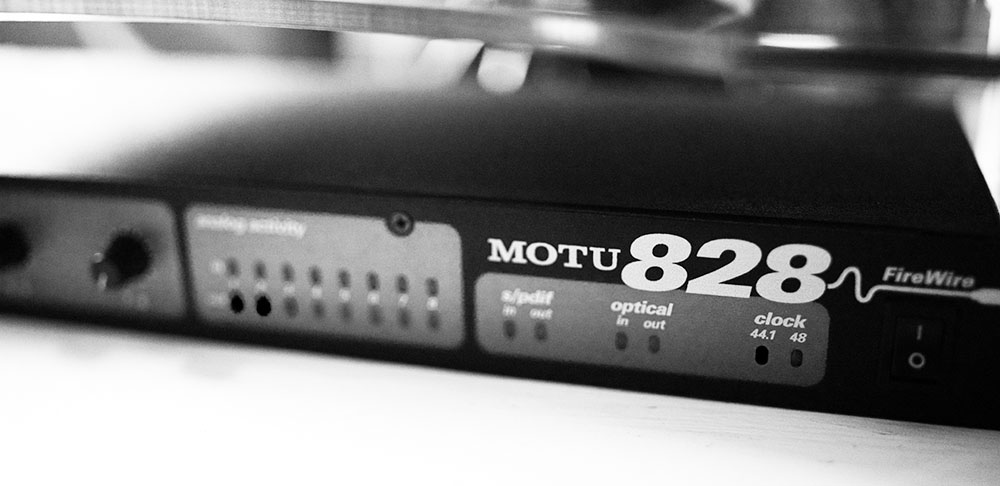
On the downside the built-in DAC is really bad. Or perhaps it just isn't very well shielded. The audio out socket suffers badly from electrical noise, no doubt caused by all the components being packed into a tiny case. I solved the problem by using an ancient MOTU 828 FireWire audio interface, which is overkill; alternatively you could use a cheap USB sound card (my old Asus Xonar U3 works fine and doesn't require any drivers with OSX).
My mini's previous owner upgraded the memory to 8gb and installed an SSD. He was obviously a man of taste. Judging by Geekbench my 2ghz dual-core Core 2 Duo mini is around a quarter the speed of my 3.4ghz quad-core i7-3570 desktop PC, which has 12gb of memory. For standard desktop use it only feels slower when using GPU-intensive tasks such as YouTube at 1080p. Otherwise I don't notice a difference.
According to my power meter the mini draws 28 watts while playing an album with iTunes and editing this blog post with Chrome, which has eight tabs open. The following piece of music was sequenced with Logic Express 9, and if I run the sequence the power draw goes up to 32w, with the activity monitor telling me that it uses a third of the machine's processing power:
In comparison my ancient Power Macintosh G5 draws 230w when running the same sequence, but the G5 was infamously power-hungry.
My desktop PC draws around 75w idle and 140w+ under load, but it's hard to compare the two machines because my desktop PC has a much more powerful GPU. No amount of power will make Sleeping Dogs work on a 2009 Mac Mini.
What came next? The 2010 models had a completely new case that brought them in line with the contemporary unibody MacBooks. The new case was slightly larger than the pre-unibody models, albeit that the total system footprint was smaller because the unibody models had a built-in power supply unit. The pre-unibody models have an external brick:
The 2010 early unibody models had a 16gb memory ceiling and dual display ports - Mini-DisplayPort and HDMI this time. They topped out at OS X 10.13 High Sierra, but they can also be hacked to run Catalina. The 2011 models were similar, but they (finally) brought i5 and i7 processors to the mini range, about eighteen months after the iMac and a year after the Mac Pro laptop. They also dropped the optical drive. The 2012 models were also similar but mostly had quad-core i7s. They can run MacOS Catalina natively, so they're the oldest minis that can run modern MacOS without hacking or special tweaks.
The mini was never aimed at the performance market, but with high-speed external drives the 2012 models were attractive media creation machines. They were in theory replaced in 2014 by a new set of minis, but the 2014 models were controversial. Partially because the memory was soldered onto the motherboard, which meant that owners were stuck with the factory configuration, but also because the quad-core CPU options were dropped. In general the 2014 models represented everything that people dislike about Apple - their mixture of forced obsolescence, un-upgradable internals, profit maximisation, meanness, their habit of leaving empty bottles in the fridge, etc.
As a consequence late-2012 quad-core i7 minis still fetch surprisingly high prices on eBay, because they're more powerful and expandable than their replacements and are still capable desktop machines eight years later.
Apple then seemed to forget about the mini. The 2014 models remained on the market unchanged for four years, during which time Apple launched the iPhone 6, iPhone 7, and iPhone 8, plus the first three generations of the Apple Watch, plus two generations of the 5K iMac, and in addition they relaunched, revised, and then abandoned an entire range of MacBooks, and J Geils died alone at home at the age of 71. Four years is a long time in the computing world.
Perhaps in compensation for the lengthy wait the 2018 minis were a major advance on their predecessors, with a memory ceiling of 64gb and a graphics system that could drive three 4K monitors. They brought back quad-core CPUs and user-replaceable memory. They are the current generation of Mac mini; they are still on sale today.
But for how much longer? In 2020 Apple announced that it would switch its computers from Intel x86 to ARM processors in the near future, which raises the question of whether the company's computer range will be gutted or revitalised. The mini has far more internal storage than an iPad, but Apple is keen to sign people up to its streaming services, so internal storage is not in Apple's interests. The mini also has more ports than an iPad, but an iPad docking station would fill the same role. The ARM development machines are built into Mac mini bodies, but this doesn't necessarily mean there will be an ARM-powered mini; the development machines could well be kludges not intended for mass production. The future is not yet written.
EDIT: A few months after writing this Apple launched an ARM-powered mini. What do I know? It was part of the initial wave of Apple Silicon-powered machines, alongside a new MacBook Air and MacBook Pro. The M1-powered 2020 Mac Mini was simultaneously a step forward - one-third faster than the fastest Intel mini, with one-third the power consumption - and also a step back, because the internals returned to being un-upgradeable.
In brief the 2012 unibody models are still decent desktop machines in 2020. If you're going to spend money on a mini then a quad-core i7 2012 model with 16gb of memory and a big SSD would be a sound choice. The 2011 models are almost as good. The 2014-2018 models aren't very attractive; they're new enough to sell for high prices on eBay, but they're difficult to expand and repair and don't perform as well as their predecessors.
If you're going to spend a lot of money a brand-new 2018 model will remain current for several years to come. I don't have access to Apple's secrets, but I suspect that the company's decision to adopt ARM was driven more by a desire to manufacture its own CPUs than because x86 had hit a dead end. The current situation isn't directly comparable to 1994 or 2006. If the problem was the poor performance of recent Intel CPUs it would have been simpler and cheaper for Apple to switch to AMD's x86 processor range instead. As such I imagine that the 2018 minis will age gracefully; the new ARM machines do not represent the same performance step-change as PowerPC and Intel before them. (EDIT: But see above; the M1-powered mini was a substantial performance jump).
The 2009-onwards models are the cheapest used minis that can be hacked to run current versions of OSX. They're good value as general media servers. The pre-2009 models are technically obsolete and are awkward internet machines on account of the lack of a current browser, and the G4 Mac Mini is really a cult retro toy, but there's nothing wrong with that. As such if you're going to buy a mini nowadays the best choices are (a) 2012 (b) 2018 (c) 2009.
Souping Up a 2009 Mac mini
After that preamble let's get down to business. Let's roll up our sleeves, dab the crooks of our arms with alcohol, and draw blood! Let's send the blood off to the laboratory! And then do it all again because the blood sample got lost in the post.
As mentioned above my mini has already been upgraded with 8gb of memory and an SSD. Those are the two most obvious upgrades; the third upgrade that everybody does is an extra hard drive.
This involves opening the case. The chaps at iFixIt used a plaster spreader. I used a razor-sharp Opinel folding knife. I jammed it into the side of the case and prized out the interior because nothing escapes this world unscathed.
It's a cliche, but opening the old-fashioned Mac mini the first time is harrowing; the second time it's merely scary, but after that you just roll on top of her and do your thing and roll off again, like a pig, or a dog. We kid ourselves that we have souls, but we don't. The soul is just an illusion sustained by our own vanity and we are animals driven by lust.
Animals driven by lust. Surprisingly the aluminium case isn't used as a heatsink. You'd think Apple would have added a pipe that transmits heat to the case, but in practice the mini's exterior remains cool to the touch even when the interior is running hot. Safety issue? Thermal expansion? Who knows.
With the top off the mini is a compact block, with wifi and Bluetooth antennae sitting on little poles and a DVD drive on top of the motherboard. I tried running the machine with the DVD drive taken out to see if it would be cooler; it was, but that was because the fan went mad, so I assume that the optical drive helps direct airflow.
The mini has a motherboard with CPU, GPU, and memory connected to the bottom of the case, with the storage connected to a daughterboard that sits slightly higher, hard drive and DVD from bottom to top. The storage uses a pair of SATA 2 connectors, although apparently some SSDs are flakey if they're used in the DVD bay, so I opted for an old-fashioned 7200rpm hard drive instead.
It's a good idea to periodically open the case and blow out the dust. If you're feeling brave it's also a good idea to replace the thermal paste, which I will have to attempt at some point.
Adding the hard drive involves buying a caddy. Mine was a universal mount that also goes into MacBook Pro laptops. The screwholes don't line up properly, but the caddy fits. I guess I'll just have to make sure I don't shake the mini around:
It was a surprisingly easy process. I just had to unscrew the optical drive, pull it out, insert the hard drive caddy, and close the case. If you do this you then have a choice between simply using the second drive as a mass storage device; using it to make Time Machine backups of your primary drive; setting it up with a different version of OSX for compatibility reasons; the sky is your oyster.
I cloned my installation of Yosemite onto it using OSX's built-in Disk Utility with a bootable OSX USB stick, although Carbon Copy Cloner is just as easy; once that was done I upgraded my boot drive to El Capitan, and at some point I'll use DosDude's tool to upgrade it further to Mojave.
The reason for this kerfuffle with Yosemite is that, as mentioned earlier on, I intend to run Logic Express 9, but LE9 only works with versions of OSX up to Yosemite. Or at least I used to think so; after upgrading to El Capitan is still seems to work, so perhaps I am mistaken. It definitely breaks at some point up the OSX chain.
Why Logic Express? An awful lot of older Apple hardware still works but doesn't meet the system requirements for Logic Pro X, besides which LE cost me £40 and has almost all the functionality of Logic Studio. That's why.
Beyond music I have also made a concerted attempt to use my mini as a daily computer. It's quiet, not obviously slower than my desktop PC, but utterly useless for games, so I'll have to finish Ori and the Blind Forest later.
In general the biggest fuss when switching machines is logging back into all the websites I use. As a proof of concept I even wrote this blog post from start to finish with the mini, including images, and I can confirm that Apple's computers can be used to generate content for the internet, thus.
EDIT: Early in 2022 I upgraded the Mini to run MacOS 10.14 Mojave, which is the last version of OSX / MacOS that can run 32-bit applications. The 2009 Mini will also run 10.15 Catalina, but that strips out 32-bit compatibility.
This involved using DosDude's incredibly helpful patching utility, because the 2009 Mac Mini doesn't natively support Mojave. It ran flawlessly, although after installing Chrome I had to reinstall the patcher's legacy video drivers, otherwise Chrome was just a grey box. Apple gave up on Mojave in November 2021, but it's still widely supported by third-party applications.
Despite its modest specification the 2009 Mac Mini runs surprisingly well with Mojave. I was expecting it to turn into a stuttery heat-spewing monster, but no. If you have a last-generation silver-and-white Mini or any of the unibody Minis made in the last decade sitting around doing nothing, and you want to save a bit of electricity by surfing the internet with it, they will at least surf the internet. Rubbish for games, but it's a Macintosh, that comes with the territory.